Recent additions (181-200):
v181
Just a quick bit of tidy-up, improving fixes for browsers interfering with text field objects. Not much to say, other than multi-line text fields should be a lot more reliable to edit manually - however, this isn't perfect and I'm still refining it. (changes to "field-fix.js")
v182
Added the lastkeys([number]) for getting a list of the last pressed keys.
put the lastKeys(5) -- might return )5(syImplemented deleting lines of variable by variable line x:
put "3" into myLine
 delete line myLine of myVariable
Text formatting now reapplies to multi-line fields on stack reopen.
Object IDs are now retained upon stack reopen.
Referencing objects by IDs is now much better:
put the loc of button id 2
 put the number of lines in field id 1
Scrollbars no longer revert to 150px wide when you change their thumbPosition property:
set the width of scrollbar "Scrollbar 1" to 250
 set the thumbPosition of scrollbar "Scrollbar 1" to 52
v183
Added vScroll position function for when you scroll a field.
on scrollbarDrag newValue
   put newValue
 end scrollbarDrag
Also added the clickLine function:
on mouseDown
   put "Clicked on line: " & the clickLine of me
end mouseDownPlease see the documentation for more information.
v184
Added referencing objects by ID (every combination I could think of).
Added the ability to count the number of controls of this card as well:
put the number of controls of this cardI implemented changing a button into a checkbox (the isCheckbox property on the inspector).
(You can do this through the inspector, or you can do this via script):
set the isCheckbox of btn "newcheck" to true -- turns a button into a checkboxButtons now also support highlighted states.
Please see the documentation for more information.
v185
Added a couple more features today:
Added a function called angleAndDistance.
put angleAndDistance(the loc of graphic "A",the loc of graphic "B")
 put angleAndDistance(the loc of graphic "A",the loc of graphic "B",diagonal)
angleAndDistance.json (or a live demo if you prefer)
I'll cover this more in the documentation. I also added a hasBattery function:
put the hasBattery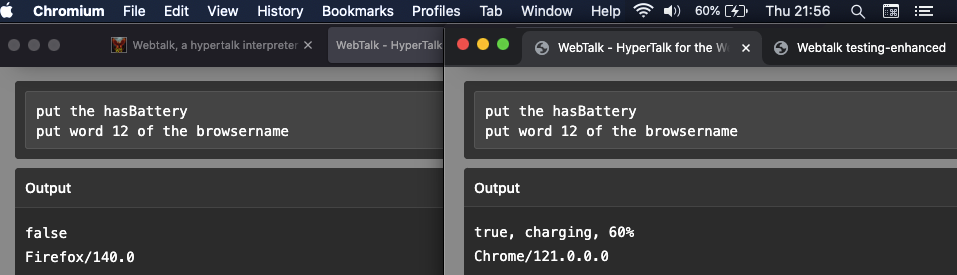
There is a gotcha with this though. It seems to work on all browsers except Firefox.
In the screenshot above, we have Firefox 140 on the left and Chromium/Chrome on the right.
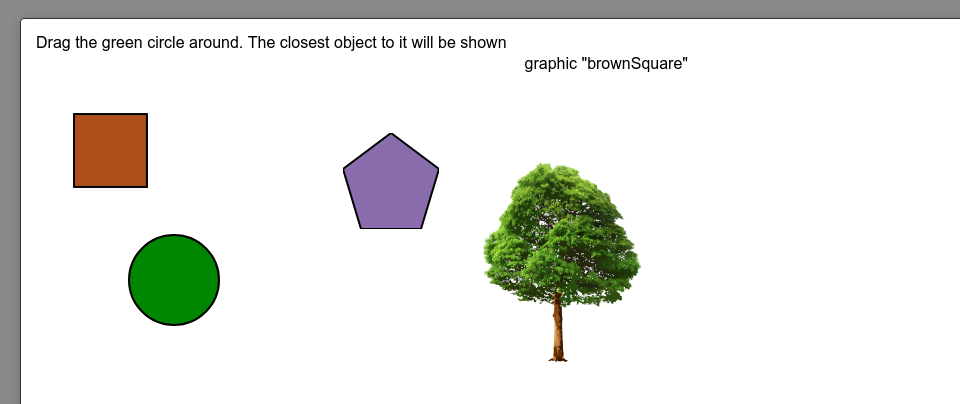
Lastly, I implemented something else called closestControl:
v186
I've refined the if, then, else conditional statements. They should be much improved. This now has it's own dedicated file (expressionparser.js) to work out what is actually meant in if statements, and properly parse them.
This is quite a large change, even though it won't visually seem like much has been modified. I've also been working on a few more examples and adding to the live demos.
conditional.json (or a live stack demo if you prefer)
v187
Implemented "the last object", so it's now possible to reference the last object created.
Create an object, or if you drag an object from the tools palette, you can now run:
put the last object
 put the name of the last object
 put the width of the last object
 put the textColour of the last object
You would get back the following (as an example):
v188
I've added the ability to rotate scrollbar objects. It turns out, this is handier than I first thought.
scrollbar-rotation.json (live demo)
I've also added the export image command, although more will follow on this at a later stage.
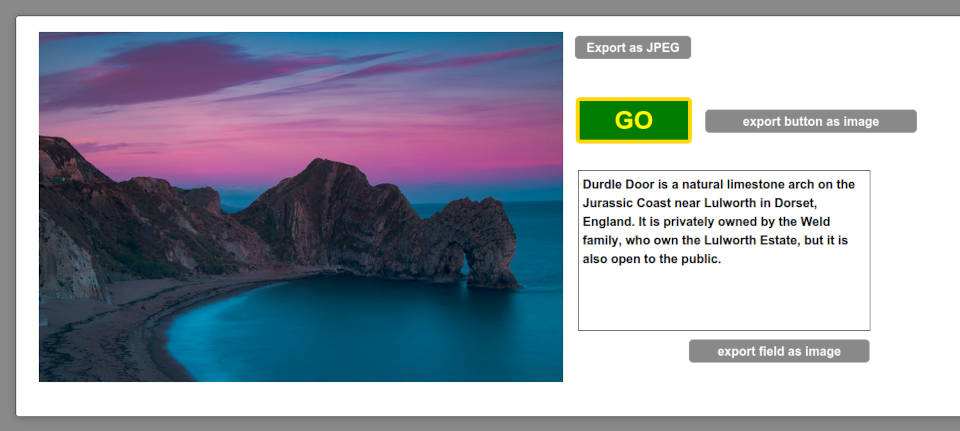
As always, the detail is in the documentation.
v189
I've expanded the export image function I made earlier. It now supports exporting rects of things.
export the rect of button "test" to file "testbutton" as JPEGexport-tests2.json (live demo)
I've also added another type of alert dialog, which I'll explain more about in the documentation.
Lastly, objects now support having their blendLevel (transparency/alpha) set to a value between 0 and 100.
v190
I added the print command, so you can print a card or you can print a field.
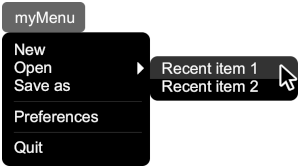
More information in the documentation.
v191
A few additions in v191 are:
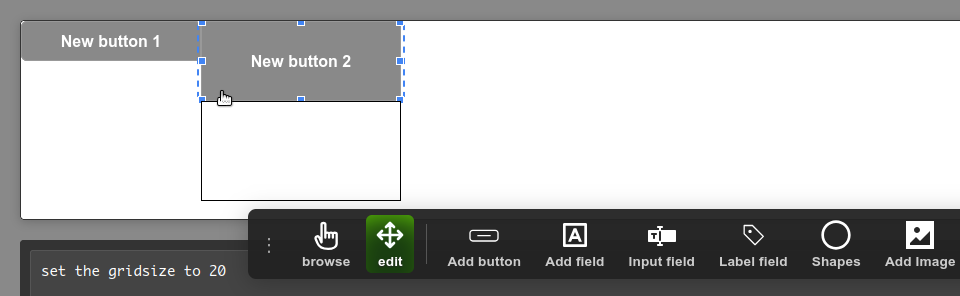
Gridsize
Setting the gridSize to a numerical value means that objects will snap to this when using the edit tool to move or resize them.
Stackmargin
This new command can be used to hide or show the outer card border in a webtalk stack.
locktext
I finally added the locktext option for fields. I'd actually totally forgotten about this after adding it as a placeholder a while ago.
More information in the documentation.
v192
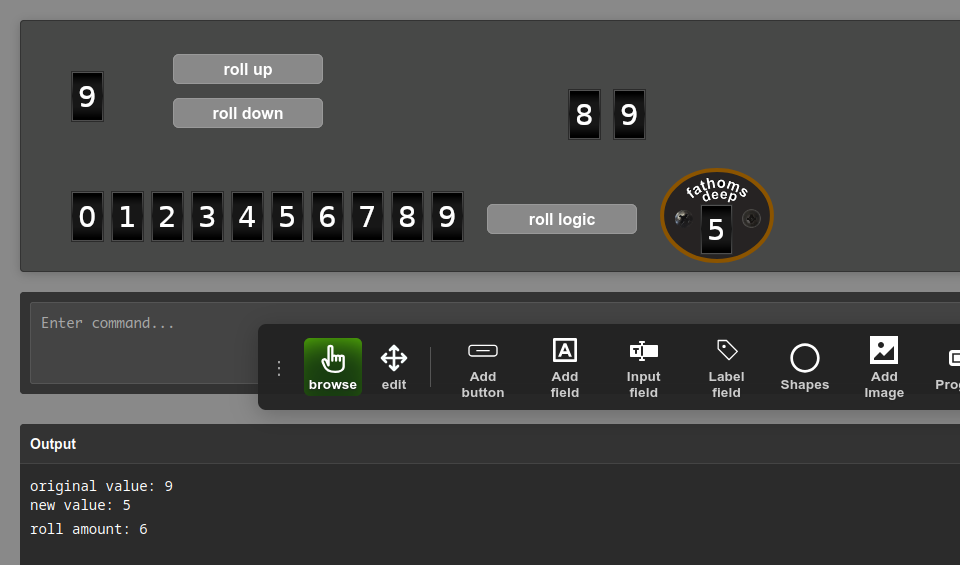
I've added a new function called "roll image"
roll image("myimage", "new", "old", 300, bottom)As always, more information can be found in the documentation.
v193
Added to the offset functions with the addition of "lineOffset" and "itemOffset":
put lineOffset(ThingToFind,myData)
 put itemOffset("yourthing",myData)
More information in the documentation on this function.
I've also been continuing work on supporting multiple cards, although this is highly experimental at the moment and is a work in progress. More to follow on this at a later date.
Added preload sound function:
preload sound "https://cdn.freesound.org/previews/554/554554_12197619-lq.mp3"then later, use:
play "https://cdn.freesound.org/previews/554/554554_12197619-lq.mp3" -- already loadedThen it also made sense to unload a sound too:
unload sound "https://cdn.freesound.org/previews/554/554554_12197619-lq.mp3"v194
Continuing with my focus on sounds for the moment, you can now run the following:
put "https://mydomain.com/mysound.mp3" into myURL
 get isloaded myURL
 -- would return "false (0%)" if not loaded
 -- would return "true (100%)" if loaded
You can also now stop, pause or resume a preloaded sound:
put "https://mydomain.com/mysound.mp3" into myURL
 stop myURL -- would stop the sound if playing
 pause myURL -- would pause the sound
 resume myURL -- would resume playing the sound from the last paused position
You can also skip to any current position of a preloaded sound (in milliseconds):
put "https://mydomain.com/mysound.mp3" into myURL
 put 14980 into myskip -- sets the skip position to 14.98 seconds
 playatpos(myskip) myURL -- plays the above mp3 sound at this position
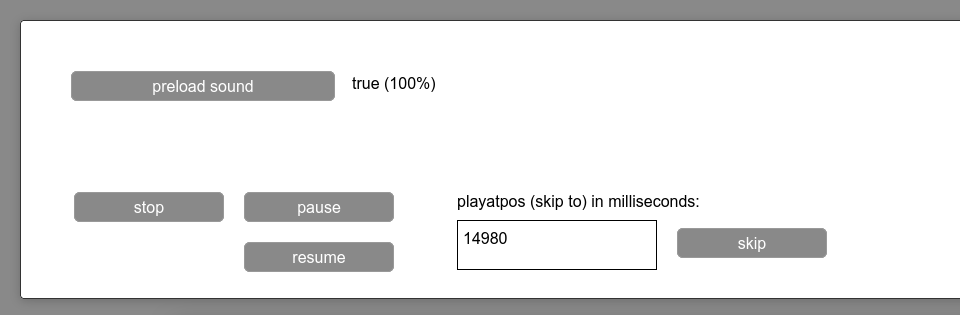
preload-sound.json (live demo)
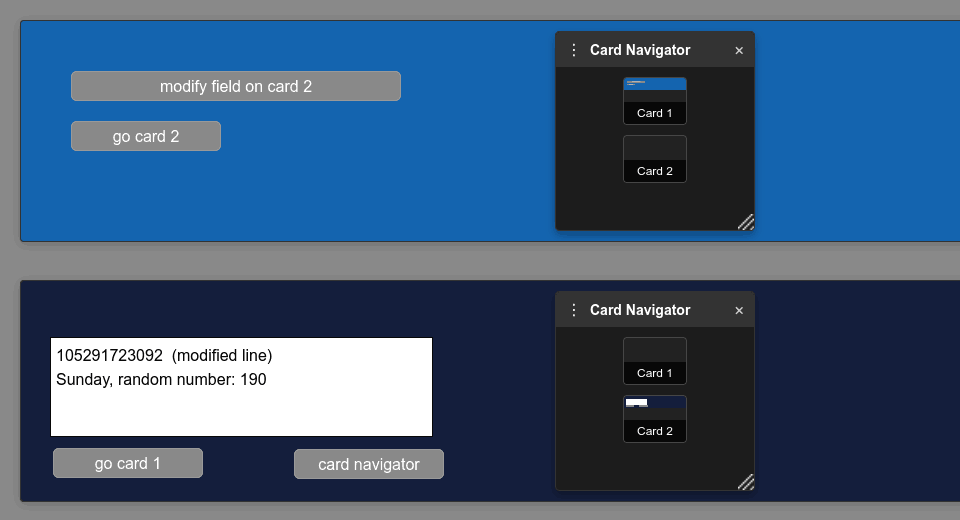
Finally, I added VERY preliminary multi-card support. Much much more to follow on this as time progresses. As you'd expect though, you can use:
create card 2 -- creates a second card
 create card "newcard" -- creates a new card after the current card, called "newcard"
 delete card 3 -- deletes card 3 if it exists
 put "hi" into line 1 of field "data" of card 2 -- when on card 1 currently, for example
 set the backgroundColor of card 1 to "30,40,50" -- when on card 2 currently
v195
I've implemented a couple more properties (well, actually a few extras too):
get the currentPlayPos "https://www.mydomain.co.uk/soundfile.mp3" -- returns current pos
 get the totalPlayDuration "https://www.mydomain.co.uk/soundfile.mp3" -- returns duration
I then implemented the ability to retrieve waveforms of sounds, and store sounds (embed them) in a stack:
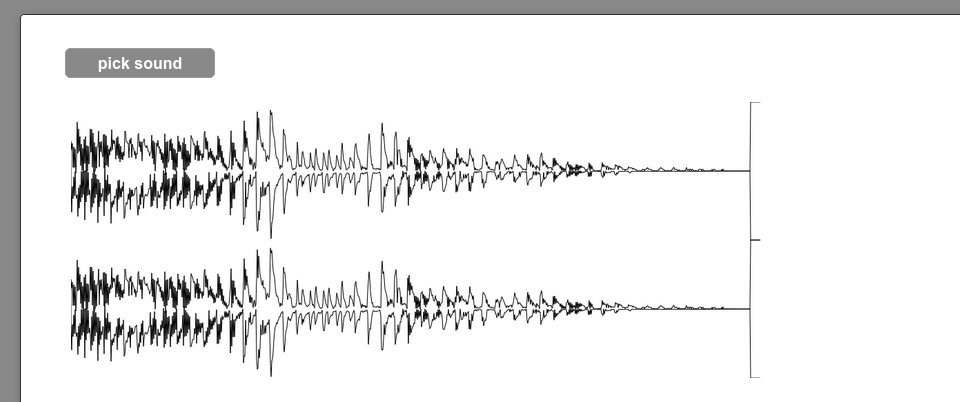
Please see the documentation for more details.
v196
In previous release notes, I've sometimes mentioned there's just too much to list here and "please see the documentation". Well, this time I really mean it. I've been quite busy in version 196. Please see page 79 of the documentation for all the changes.
v197
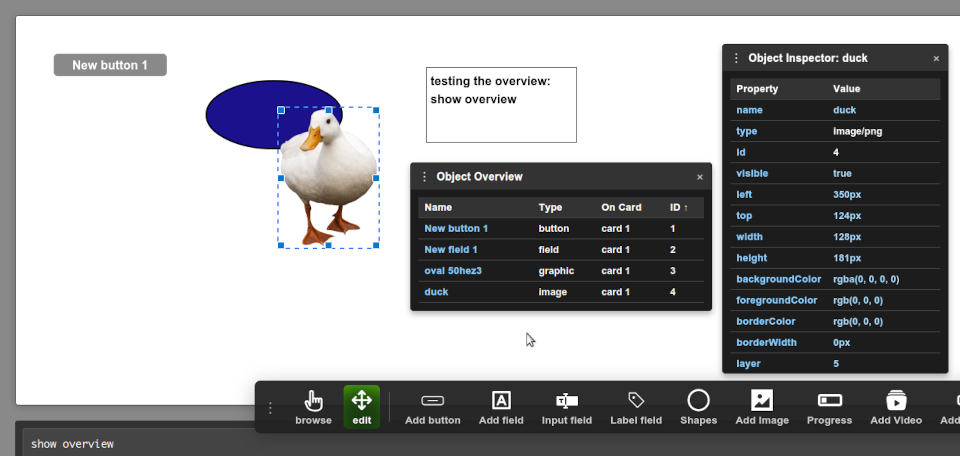
I've added an "Overview" palette. You can hide or show this by using:
show overview -- shows the palette
 hide overview -- hides the palette
 toggle overview -- toggles the palette
As you create objects, the palette will be populated. The idea is that you can easily see what makes up a stack, even if certain objects are hidden. If you click an object in the overview palette, it'll switch to edit mode, select the object, and show the inspector for that object.
v198
A spot of bug fixing in this version, and a couple of miniscule additions:
I noticed that the middle-click stopped working once a stack was loaded from a JSON file. I also noticed that adding new objects to a stack after being reloaded was confusing things - I fixed this, and the problem was in the clearCurrentStack() function. It now properly maintains the DOM references at all times.
What does that actually mean?
Middle mouse-click: Event listeners such as opencard, closecard, etc no longer get broken upon stack loading. Object creation: New objects will now be properly added to the stack after loading a JSON, since we're not dealing with stale references to parts of a stack that no longer exist. Also, this means that loading a new stack from file properly replaces the content of the previous stack (this got broken somewhere).
I also added a new function:
put the isTainted -- returns true or false
This is handy in a browser context, so you can tell if you've overstepped the line with CORS restrictions (and tainted your canvas).
Added a new tweak to the answer command. We now have:
answer font -- a prompt for the user to select a font file.
We could use it like this:
on mousedown
    answer font
    if it is "" then exit mousedown
    start using font it -- starts using the selected font
    put the lastLoadedFont -- if you want a debug output of the loaded font.
    put "The Quick Brown Fox Jumps Over The Lazy Dog" into field "test"
    set the textFont of field "test" to the lastLoadedFont -- apply the font to the field
 end mousedown
We could unload it (stop using that font) like this:
on mousedown
    put the lastLoadedFont into removeFont -- can be any variable name
    stop using font removeFont -- we close (stop using) the font here
 end mousedown
This is all detailed on page 87 and 88 of the documentation.
v199
I added dateParse as a synonym to parseDate, and I added padCenter as a synoym for Center, so you can also use:
put dateParse("25/12/2024", "dd/mm/yyyy") -- outputs 12/25/2024
 put padCenter("test", 10, "-") -- outputs "---test---" without quotes
I also tweaked the tools palette slightly with the addition of this icon:
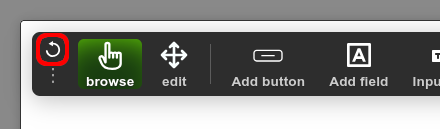
When you click this icon, it'll change the orientation of the tools palette from horizontal to vertical (or back again).
I also made this a bit more intelligent, so if you have the palette arranged vertically, and you drag it to the left or the far right edges of the screen; the card div and the message box will move out of it's way:
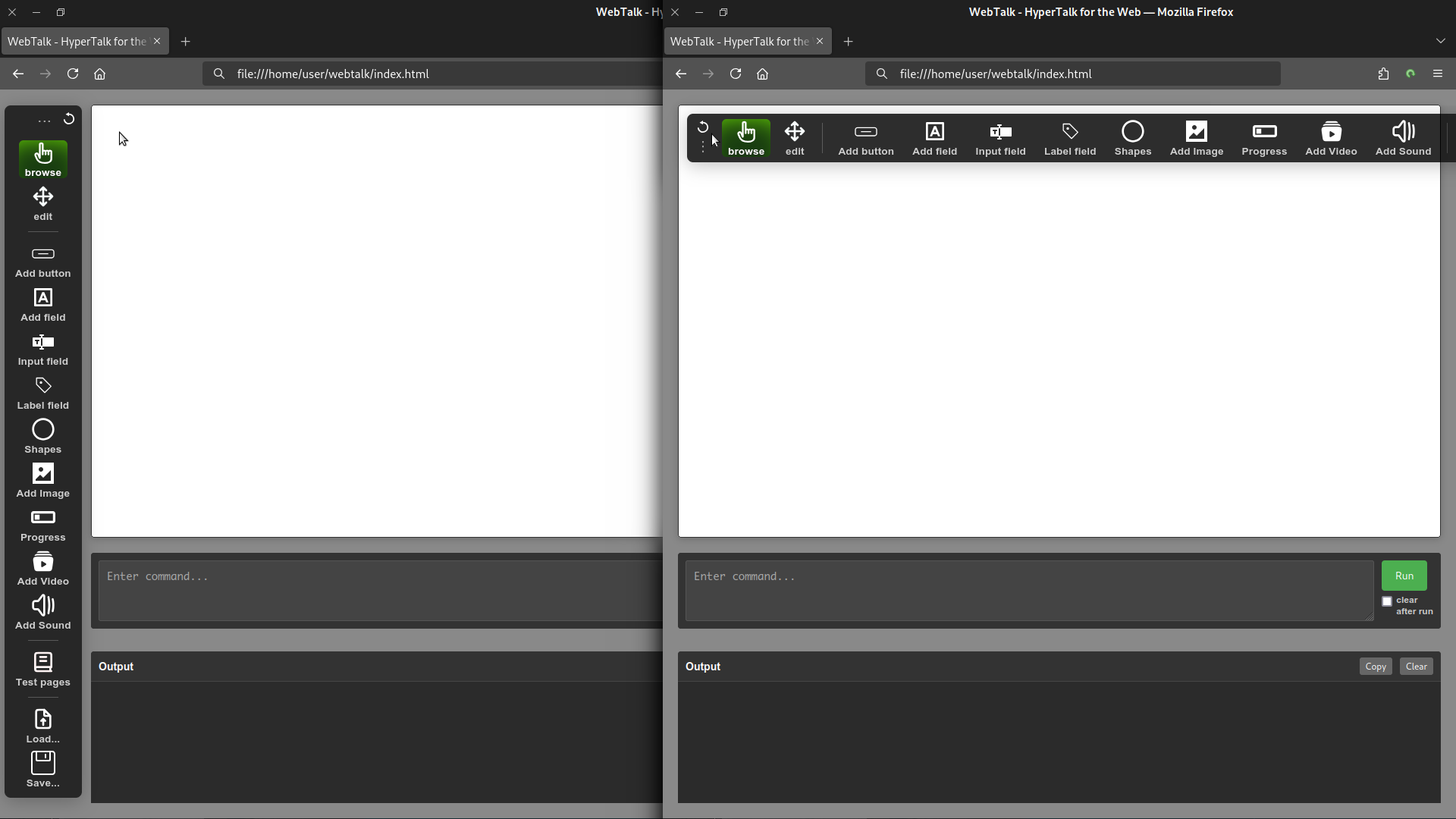
Click for a larger image
v200
I've added quite a bit this time around, and I detailed all this on page 89 of the documentation.
I've also tried to give live demos of all my changes too:
continuation-character.json or live demo here.
fullscreen.json or live demo here.
more-dates.json or live demo here.
Along with a few tweaks to the UI (inspector palette and overview palette), and a few bug fixes for good measure.
v201
I've been working on pathfinding abilities of webtalk. This has taken me a while to work out, but you can see a demo of it here and try it out with the stack below. Updates to the documentation can be viewed here.
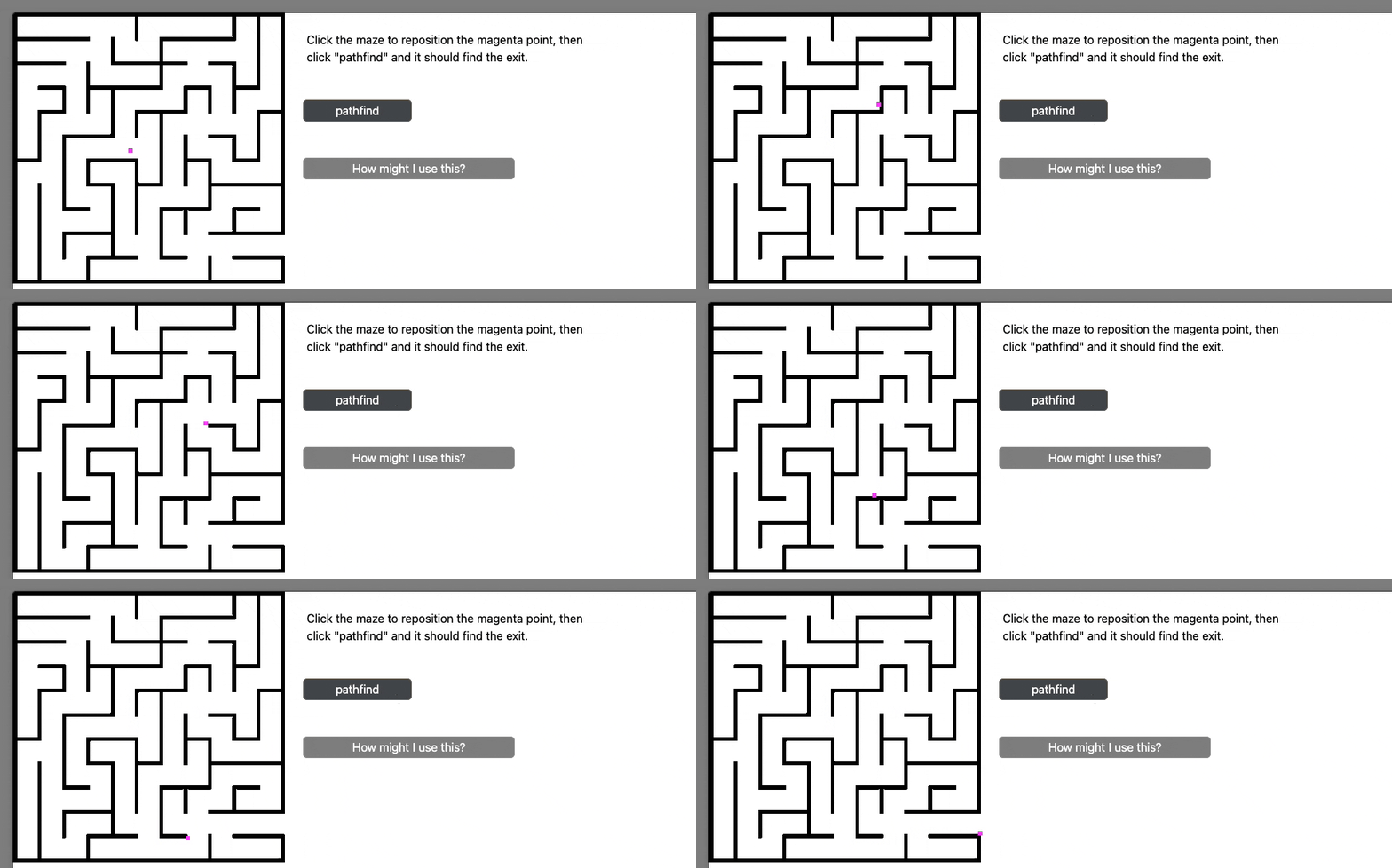
pathfind-gfx.json or live demo here.
v202
Added property retrieval for objects:
put the properties of btn "mybtn" -- returns a list of properties
You can now right-click an object in edit mode, and choose "Duplicate" from the contextual popup menu.
I also improved the evaluateExpression (core logic) to be a lot more 'fuzzy' - more hypertalk-esque for a few commands.
See the documentation, specifically page 90.
I use some of this expanded syntax in this example password generator stack:
pass-gen.json or live demo here.
v203
This week, I've added the styledText property to fields:
set the styledText of field "myfield" to true
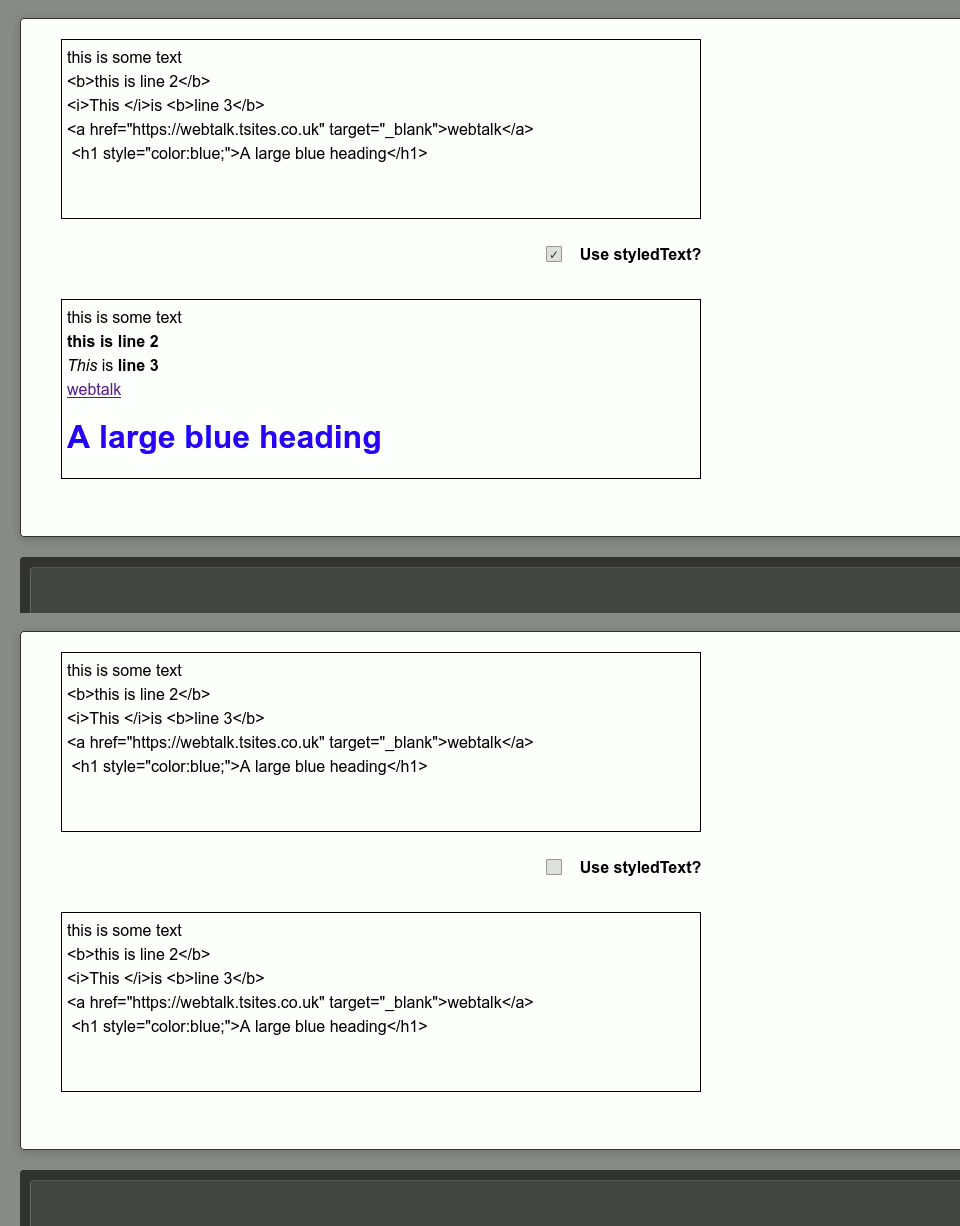
As we are already in a browser instance, setting the styledText of a field will tell the browser to process the field formatting as HTML tags, so should support whatever the browser supports.
See a live example of using styledText here.
v204
Quite a lot added this time around, and too much to list here - so I've added it to the documentation on page 92 and onwards.
Probably the most important change is a change to the file format I'm using (don't worry, the JSON is still going to remain as an option)
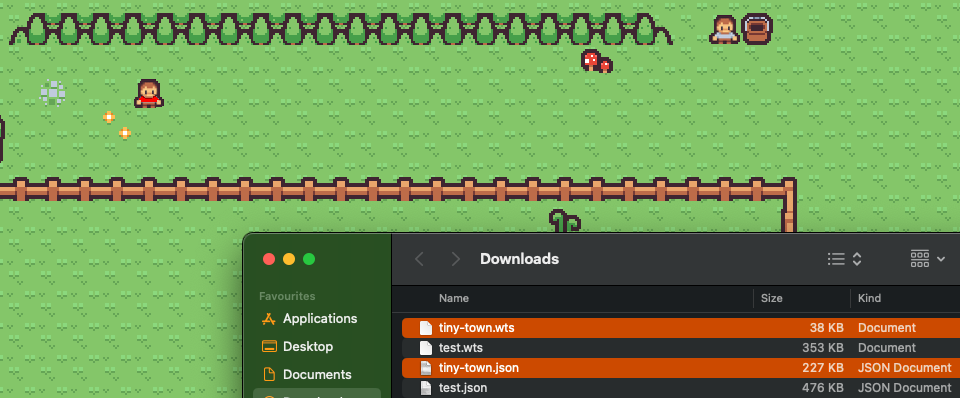
This is only to create smaller files if working on larger more graphical stacks.
Here's a live demo of that tiny-town stack shown above.
v205
It turns out that making a calculator is a very good way to debug a few things in the interpreter! As a result of making one, I've discovered:
There was a nasty bug with the try/catch statement, so have fixed this.
Also, it became clear the sum() function did not support variables (also fixed)
I added a new function called perc() to mimic how a calculator works out percentages.
put perc(87,12) -- 87 is our base number (total),
	-- and 12 is our amount, so this returns 10.44%
	-- (12% of 87 = 10.44)
This was worth doing for that try/catch fix alone.
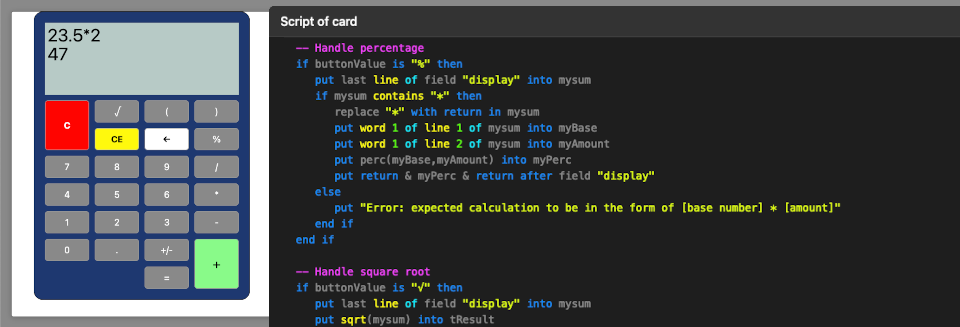
calculator.json or live demo here.
v206
Added the filter function into this version.
You can find out more about it by reading the documentation on page 95.
v207
In this version, I've added support for local variables and constant variables.
You can find out more about those changes by reading the documentation on page 96.
v208
I've just implemented numeric word constants in this version:
put five into x
 put ten + five -- evaluates to 15
I've also added the value() function:
put "5 + 3" into tExpr
 put value(tExpr) -- returns 8
 put value("10 * 2") -- returns 20
(I also added the split and combine keywords and logic too), and I have expanded support for Arrays.
You can find out more about these changes in greater detail by reading the documentation on page 97.
changes-in-208.json or live demo here.
v209
Added the segment chunk type this time, and added some more array manipulation.
This is on page 98 of the documentation , however I thought an example might also give a better overview:
Download segments-more-arrays.json or you can view it online as a live demo.
v210
In this version, I've made a few additions and a few enhancements to existing functions.
Firstly, the enhancements:
You can now export any given rect to the imagedata of an image object directly:
export the rect of this card to the imagedata of image "testimage"
 put "0,0,690,300" into myrect
 export rect myrect to the imagedata of image "testimage"
Line continuation character. Instead of just ¬ you can also use \ now. Example:
put the date && \
 the time -- would output 05/11/2025 16:40 (for example, but as a single line command)
Now for the additions:
We can set the "behave as background" on an object via the inspector now. Or, you can do the same by using:
set the asBackground of field "myfield" to trueWhen the asBackground property is set to true on an object, when navigating through cards, this should be shown on all cards - The interpreter essentially ensures any asBackground objects are carried across to multiple cards. (This isn't making a copy of them, merely letting existing objects show). Here's where I've simplified things somewhat. You don't need to put these in a group (I haven't implemented groups yet), and if you change the position of an asBackground object - those changes will replicate to all cards. It is a bit of an experimental feature at present.
I've also implemented a browserStorage function. This is different to a cookie - but nonetheless it's a way of storing persistent data between browser launches. For example:
put "Hello World" into myData
 write myData to browserStorage
-- Stores/saves a variable "mydata" with the value "Hello World"
read myData from browserStorage
 put myData -- would load and output "Hello World" from whenever you last had the stack running.
How could I use it? I was thinking of a lives or score tracker in a game when I put this together, but you could use it for any data you set in a variable which you'd want to persist between browser launches (or even computer restarts).

Download browserStorage.json demo, or you can view it online as a demo.
I was going through all the supported object types the interpreter supports. I really should implement groups next. I was about to, but noticed a bug that needs mentioning:
When you export the rect of an area to a file or to imageData of an image object, if that rect contains a field which is also rotated, the field's content won't be shown at all or will be clipped. This is due to two bugs mainly in html2canvas, so I'm waiting for those to be resolved.

(objects in the interpreter).
see issue:
https://github.com/niklasvh/html2canvas/issues/184
And issue:
https://github.com/niklasvh/html2canvas/issues/1559
(bugs in html2canvas library)
I had hoped to implement something 'fun' this time around, but perhaps next time.
This is all on page 100 of the documentation.
v211
Added the rotatedHue command.
This is on page 101 of the documentation , here's an example and a demo of it in action:

v212
All about bug fixes in this version. This is on page 102 of the documentation .
v213
I've implemented an HTML editor for text fields. When in edit mode, you can now right-click a text field and edit the HTML markup directly.

v214
Lots added in this version. A few bug fixes, 📄 new alert types, the 📄 colorNames/colourNames, 📄 mousetext, mousechunk, lots of additions to the 📄 sort command, multiple testing pages, identifiers for the '📄 kind of control', and last but not least - the start of supporting 📄 groups. This is on page 103 of the documentation .
(You'll note, demo stacks are available, as individual tests for each of the new additions I describe above).

v215
UI tweaks: amended the script editor a bit. You can also now drag the script editor and html editor windows around.

v216
Changes to the way 📄 text is formatted. Applies styles in an HTML compatible manner using span tags. Support for declaring inline variables, new additions (the doeswrap command), additions to repeat loops, the 📄 exists function, fixed a bug when setting labels, added the nanoseconds as a measurement of time, supported adjusting the stackMargin property, and started working on 📄 visual effects. This all starts on page 106 of the documentation .
v217
In this version, the following has been implemented:
mousechunk mouseformat mousesegment math-with-containers paragraph functions textstyle using char range textstyle using word range segment delimitersThis is on page 109 of the documentation.
v218
I've added the iframe object, which allows you to embed a page inside Webtalk.
iframe test A iframe test B. You can also overlay objects on top of the iFrame as well if you want:
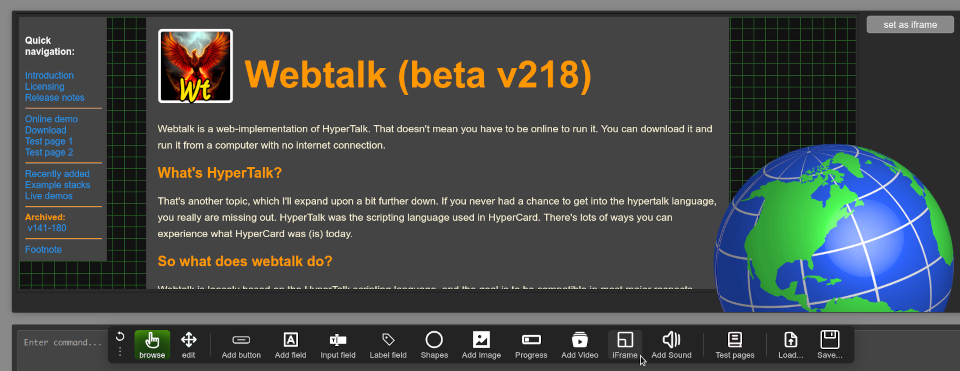
I have added a note regarding this in the documentation.
v219
I've added the cardNames, which will return a list of all the names of the cards in a stack. You can use:
put the cardnamesOr you can use:
put the card namesI also made some fixes to imagedata across-cards and fixed a bug with card renaming and navigation.
I added the clickText command:
put the clickTextNext, I added table support (and made sure it also supported clickLine and clickColumn).
After that, I continued my ongoing work on visual effects.All of this is covered in the documentation.
v220
In this version I've added the stop speaking command, modified the move command to be more fuzzy and flexible, implemented custom cusors, and added the mouseStillDown and idleRate.
All of this is covered in the documentation on page 113.