 sample-stacks
Dash
Dash is a desktop implementation of HyperTalk — a native application rather than something that runs in a browser. It recreates the HyperCard environment: stacks, cards, buttons, fields, a tools palette, a script editor and a message box, all driven by an interactive HyperTalk interpreter.
HyperTalk was the scripting language used in HyperCard, created by Dan Winkler in 1987. Writing programs in HyperTalk was known as "scripting" — scripts read much more like written English than most programming languages of the time (or since). If you never had a chance to get into HyperTalk, you really are missing out.
For example, if I wanted to output the current date in JavaScript, I'd have to type:
const now = new Date();
const days = ["Sunday", "Monday", "Tuesday", "Wednesday", "Thursday", "Friday", "Saturday"];
const dayName = days[now.getDay()];
const dateTimeString = now.toLocaleString();
document.getElementById('datetime').textContent = `${dayName}, ${dateTimeString}`;
And although doing that in Python is simpler, it's not as readable:
from datetime import datetime
now = datetime.now()
formatted = now.strftime("%A, %d/%m/%Y, %H:%M:%S")
print(formatted)
Whereas in HyperTalk, I can use:
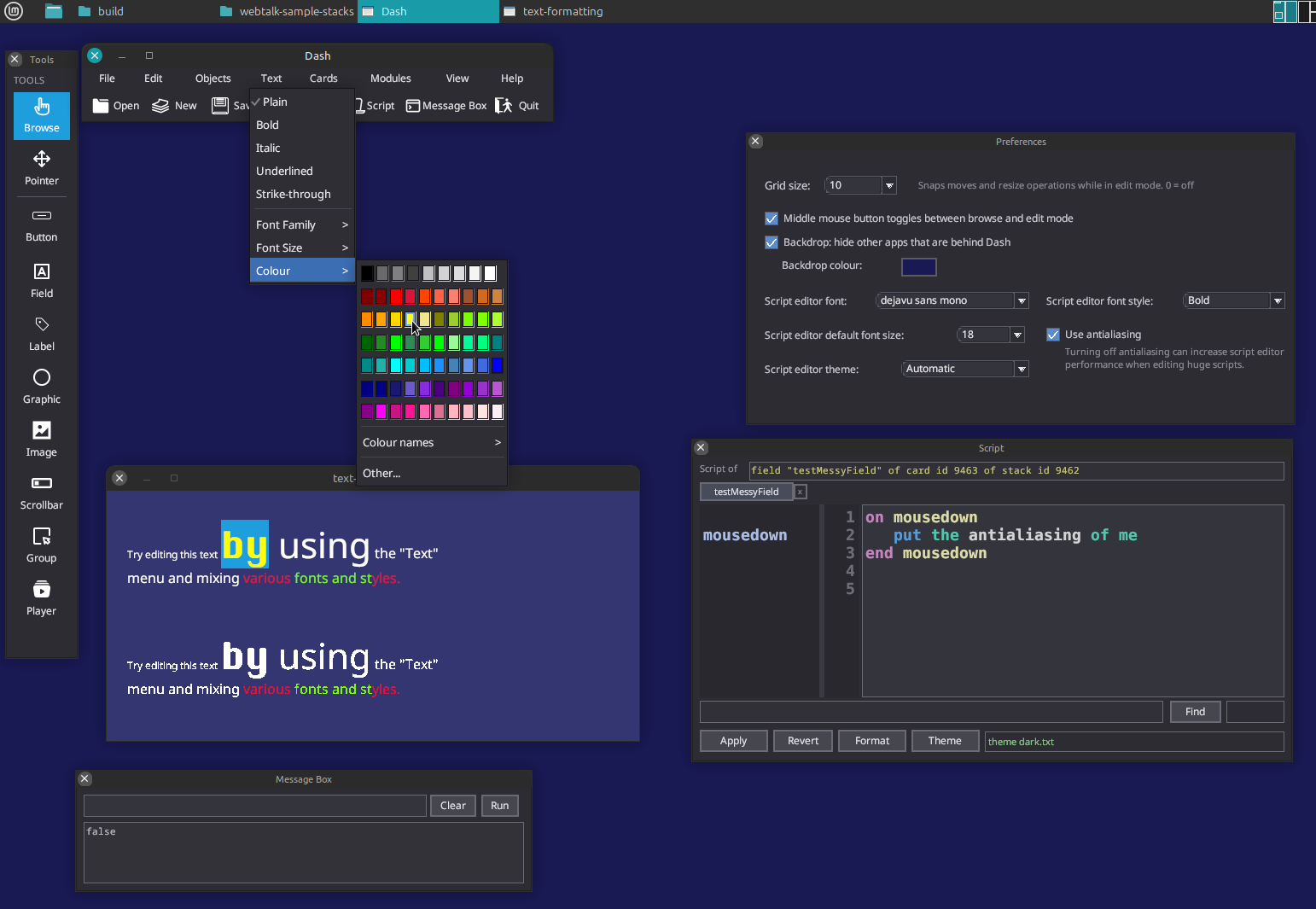
put item 1 of the long date & "," && the date & "," && the timeDash runs as a desktop application with its own windowing environment — a tools palette, stack windows, a script editor and a message box floating over a desktop backdrop:
Dash (current version) is available here:
Download
It's a native desktop application — no browser or internet connection required.
These are .stack files for Dash. Clicking one downloads it rather than
opening it in the browser — open it from Dash afterwards with File > Open.

Dash stacks end with a .stack file extension. All stack links on this
page are marked up so your browser downloads them instead of displaying them.